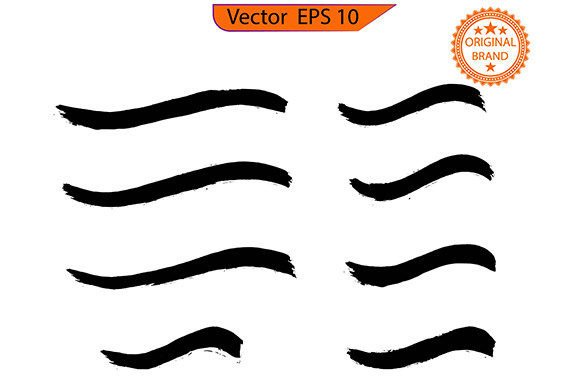
Integrating the Brush Stroke Bundle into Professional Creative Workflows
In the fast-paced world of digital design, efficiency is not merely a luxury; it is a structural necessity. Designers, marketers, and content creators constantly seek assets that reduce friction without compromising aesthetic quality. The Brush Stroke Bundle represents a specific category of digital resources designed to bridge the gap between handcrafted authenticity and digital scalability. However, acquiring high-quality assets is only the first step. The true value emerges when these elements are seamlessly integrated into existing production pipelines. This article explores how to effectively utilize a brush stroke collection, focusing on practical implementation, workflow optimization, and the critical importance of licensing compliance for commercial projects.
Understanding the Asset in Context
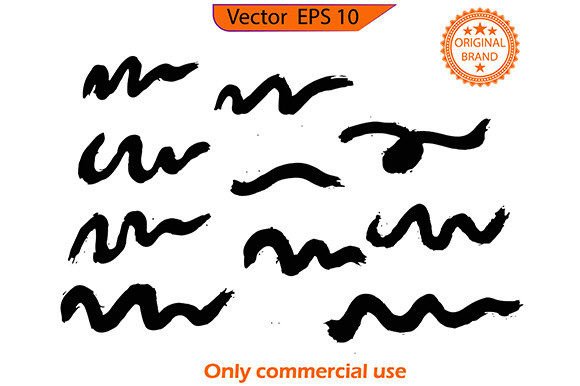
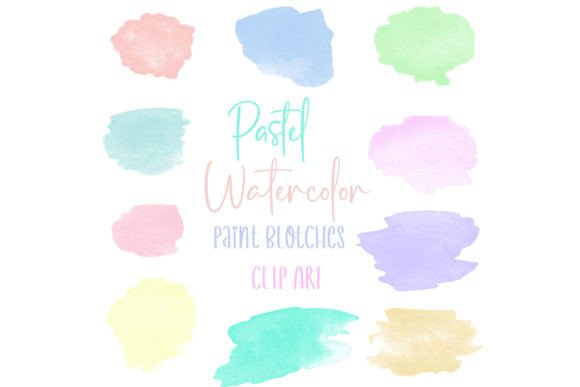
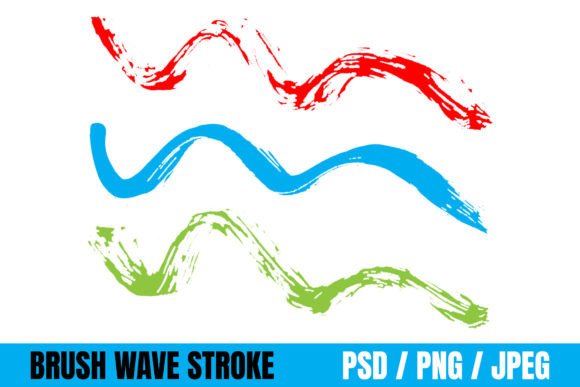
A Brush Stroke Bundle typically consists of high-resolution PNGs or vector files featuring organic paint marks, ink splatters, dry brush textures, and watercolor washes. Unlike standard geometric shapes or flat colors, these assets introduce human imperfection and tactile depth to digital compositions. They serve as visual anchors that can soften rigid layouts, add energy to static images, or create a sense of movement in branding materials.
For professionals, understanding where this bundle fits requires looking beyond the individual file. These strokes are not standalone products but modular components. They function best when treated as layers within a broader design system. Whether you are designing a website header, a social media campaign, or packaging for a physical product, the brush stroke acts as a transitional element. It connects disparate visual components, guiding the viewer’s eye and establishing a cohesive mood. Recognizing this role helps prevent the common mistake of overusing textures, which can lead to visual clutter rather than enhancement.
Pre-Production: Preparation and Organization
Successful integration begins before any design work starts. When you download a comprehensive Brush Stroke Bundle, the immediate task is organization. Large bundles often contain hundreds of files. Without a structured approach, valuable time is lost searching for the right texture during critical phases of a project.
- Categorize by Style: Sort files into folders based on visual characteristics, such as "Dry Brush," "Wet Ink," "Splatter," or "Watercolor Wash." This allows for rapid retrieval based on the desired emotional tone of the project.
- Check Technical Specifications: Verify resolution and file formats. For print projects, ensure the assets are high-DPI (300 DPI or higher). For web and app interfaces, optimized PNGs with transparent backgrounds are essential to maintain load speeds and visual clarity.
- Review Licensing Terms: This is a non-negotiable step. Confirm that the bundle includes commercial use rights if you intend to use the assets for client work, products for sale, or monetized content. Understanding the scope of the license prevents legal complications later.
By investing time in this preparatory phase, you create a reliable resource library. This reduces decision fatigue during the creative process, allowing you to focus on composition and messaging rather than file management.
During Production: Practical Implementation Strategies
Once organized, the Brush Stroke Bundle becomes an active tool in your design software. The key to effective usage lies in layering and blending. Simply placing a stroke on a canvas rarely yields professional results. Instead, consider how the texture interacts with underlying elements.
Enhancing Typography
One of the most powerful applications of brush strokes is in typography treatment. Placing a subtle ink splash behind a bold headline can create depth and draw attention. To achieve this, use clipping masks or adjust the blending modes of the stroke layer. Modes like "Multiply" or "Overlay" often integrate the texture naturally with the text color, making it appear as though the ink has soaked into the paper rather than sitting on top of it. This technique is particularly effective for event posters, book covers, and hero sections on websites.
Creating Visual Hierarchy
In complex layouts, brush strokes can serve as directional cues. A sweeping paint mark can lead the viewer’s eye from a headline to a call-to-action button. This utilizes the inherent dynamism of the brush stroke to control the reading flow. When using the bundle for this purpose, ensure the direction of the stroke aligns with the natural reading pattern of the target audience. For left-to-right languages, strokes moving from left to right feel intuitive and progressive.
Maintaining Consistency Across Platforms
For brands maintaining a presence across multiple channels, consistency is vital. Select a subset of strokes from the bundle that align with the brand’s identity and stick to them. Using the same three or four distinct textures across social media graphics, email newsletters, and presentation decks creates a recognizable visual language. This selective restraint prevents the design from appearing chaotic and reinforces brand recognition.
Post-Production: Quality Control and Optimization
After the initial design is complete, a review phase ensures the brush strokes enhance rather than detract from the message. Check for contrast issues. If a light-colored stroke is placed against a light background, it may disappear or look muddy. Adjust opacity levels or add subtle drop shadows to ensure visibility. Additionally, verify that the textures do not interfere with readability. Text placed over busy brush areas should have sufficient padding or a solid backing to remain legible.
For digital outputs, optimize file sizes. High-resolution brush textures can significantly increase file weight. Use compression tools to reduce size without noticeable quality loss. This is crucial for web performance, where load times directly impact user experience and SEO rankings.
The Importance of Commercial Use Licensing
A critical aspect of utilizing any creative asset professionally is understanding the legal framework. The term Only commercial use or similar licensing restrictions dictates how you can leverage the Brush Stroke Bundle. Many creators mistakenly assume that purchasing a digital download grants unlimited rights. In reality, licenses vary widely.
If a bundle is labeled for personal use only, it cannot be used in client projects, advertisements, or products intended for sale. Violating these terms can result in copyright strikes, financial penalties, and reputational damage. Conversely, a commercial license typically allows for use in client work, marketing materials, and end-products. However, even commercial licenses may have restrictions, such as prohibiting the resale of the raw asset files or limiting the number of impressions for certain media types.
Always read the End User License Agreement (EULA). If you are working for a client, ensure your license covers third-party usage. Some licenses require an extended commercial license for large-scale distribution. By respecting these boundaries, you protect your business and maintain ethical standards in the creative industry. This diligence also supports the original artists, ensuring they are compensated fairly for their work, which sustains the ecosystem of high-quality digital resources.
Long-Term Workflow Integration
To maximize the return on investment for a Brush Stroke Bundle, integrate it into your template systems. Create master templates in your preferred design software that include pre-positioned brush elements. For example, a social media template might have designated layers for background textures, allowing you to swap out specific strokes quickly while maintaining the overall layout structure. This approach accelerates future projects and ensures a consistent aesthetic across long-term campaigns.
Furthermore, stay updated with design trends. While brush strokes are timeless, their application evolves. Observe how leading brands utilize textured elements. Adapt your usage accordingly, perhaps shifting from heavy, grunge-style strokes to lighter, more subtle watercolor effects depending on current market preferences. Flexibility in application ensures your work remains relevant and engaging.
In conclusion, the Brush Stroke Bundle is more than a collection of images; it is a versatile tool for enhancing visual communication. By approaching its use with strategic planning, technical precision, and legal awareness, professionals can elevate their designs efficiently. The goal is not to let the texture dominate the design, but to let it serve the narrative, adding warmth and humanity to the digital space. When integrated thoughtfully, these assets become an indispensable part of a streamlined, professional creative workflow.